
Support
Downloads, documentation, compatibility information and answers to common questions
Downloads
Downloads
Quick start
Compatibility
Compatibility
FAQ
Downloads
Access software, firmware, manuals and reference files for SkySwitch PRO
Before updating, make sure you are using the latest software and firmware versions. Current versions are available in the “About” tab of the App.
Quick Start Guide
Get started with SkySwitch PRO in a few simple steps
1. Install the application
Download and install the SkySwitch PRO companion application on a Windows 10 or newer PC. The software is used for communication, configuration, and status monitoring.
2. Connect the SkySwitch PRO
Connect SkySwitch PRO to the computer via USB. Then connect the AUX cable and GPS connection to the 10Micron mount with the V3 controller. Before starting the application, make sure all connections are secure.
3. Select port and connect
Open the application and select the available communication ports. SkySwitch PRO uses a handshake-based method to identify the correct ports and establish communication with the device and the mount.
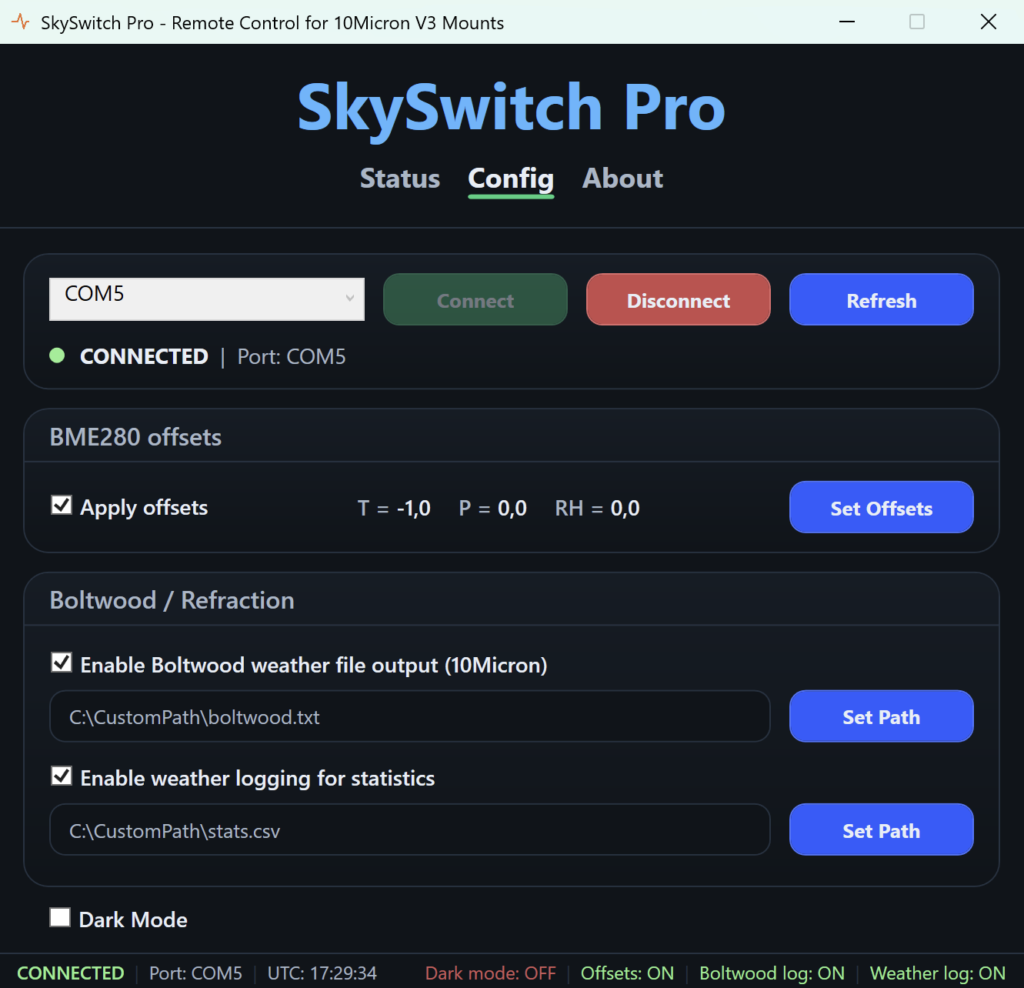
4. Configure offsets, logging and interface settings
Apply weather-data offsets if a more reliable reference source is available. You can also enable data logging for 10Micron technical use, personal statistics, or both. Dark Mode is available for more comfortable use in low-light conditions.
5. Begin operation
The system can now provide remote mount power control, live status monitoring, environmental data support, and GPS/PPS functionality.GPS acquisition is not immediate and may take around 40 seconds, or longer depending on conditions.
Compatibility
SkySwitch PRO is designed for all 10Micron mounts equipped with V3 controller
All 10Micron mounts with V3 controllers
AUX remote ON/OFF for V3 system only
Windows 10 or newer, 64 bit only !
Boltwood-compatibile weather data output
NEMA 0183 GPS data output
GPS / PPS support for V3-based operation
AUX-based remote control, environmental data support, and GPS/PPS integration are designed specifically for V3-based configurations. These functions should be used only with 10Micron mounts equipped with the V3 controller to ensure proper compatibility and correct operation
FAQ
Answers to common setup, compatibility and operation questions
Software & Driver Questions
1. Does SkySwitch PRO work only on Windows?